Purchase History
Purchase History lists all your orders with status tabs and a date filter (default: this month).
1. Delivery statuses
| Status | Meaning |
|---|---|
| Pending | New order, not processed yet |
| Confirmed | The shop accepted the order |
| Picked Up | The courier has collected the item |
| On The Way | The item is being shipped |
| Delivered | The item has arrived |
| Cancelled | The order was cancelled |
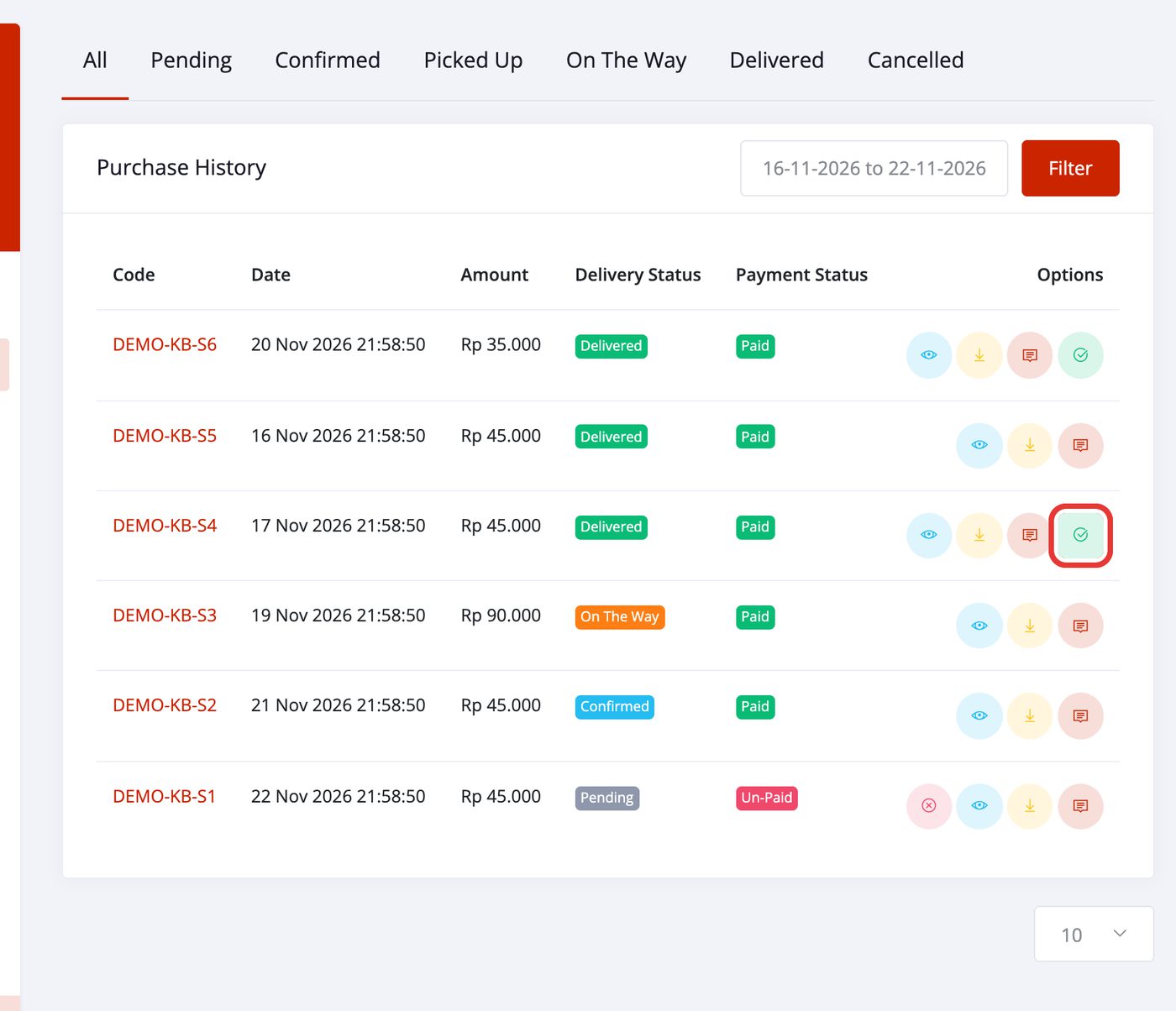
Tip: Payment status: Unpaid, Waiting for verification (transfer proof submitted), or Paid.
2. Paying by bank transfer
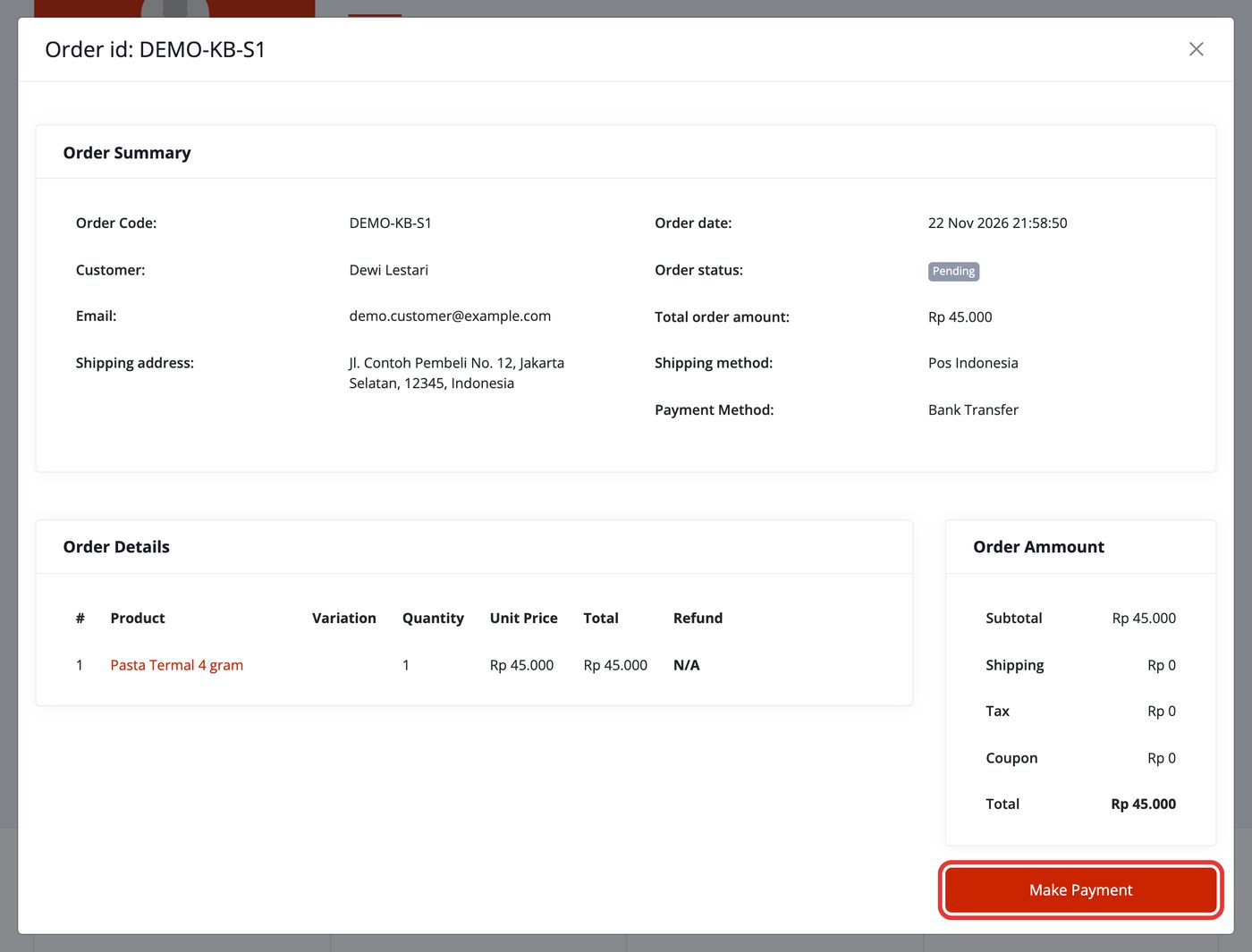
- After ordering with Bank Transfer, open Order Details.
- Click Make Payment, fill in the transfer details, and upload the proof.
- The payment stays Waiting for verification until it is checked.
3. Other buttons
- Cancel: only for orders that are still Pending and Unpaid.
- Download Invoice, and Message Seller to ask the shop.
- Pending orders that are not paid are cancelled automatically after a period set by the admin.
4. Confirm Received
When an order is Delivered and Paid, click Confirm Received after checking the item. The button is unavailable when a refund request is on record. Orders that are not confirmed are confirmed automatically after the refund period ends.
Important: After Confirm Received you can no longer request a refund or raise a dispute for that order.
5. In the app
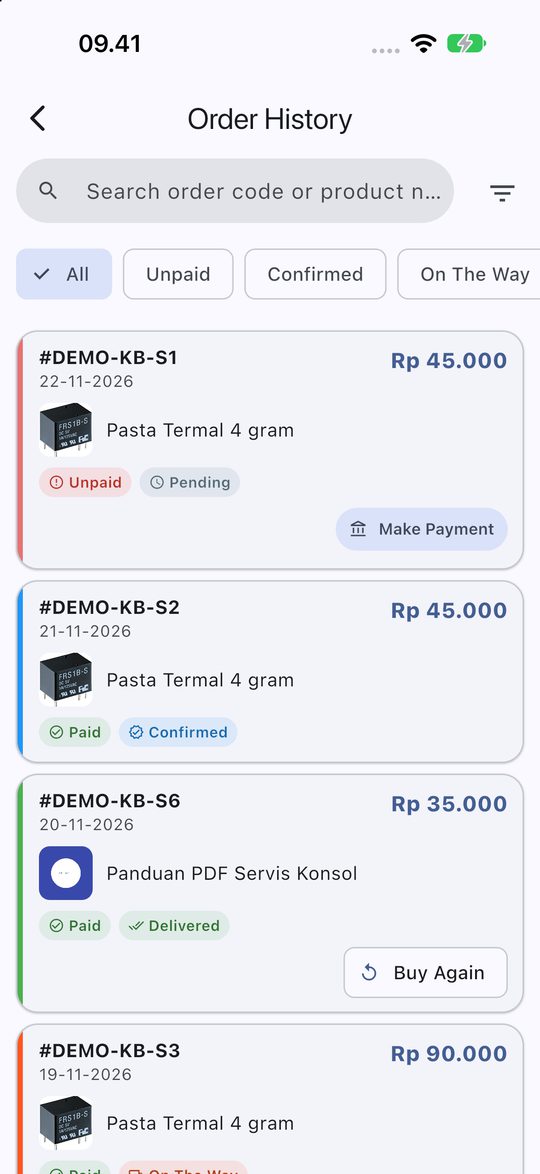
- Open the Shop tab › ☰ menu › Order History; filter by status or search an order code.
- Unpaid transfer orders show a Make Payment button.
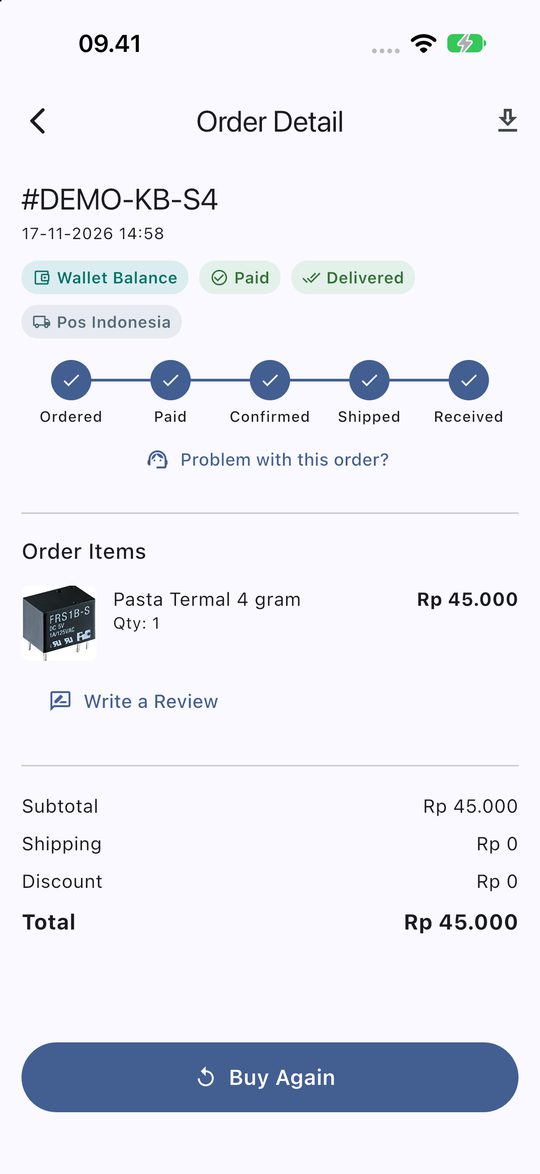
- Tap an order for Order Detail: the status timeline, Problem with this order?, Write a Review, and Buy Again.