Earning Points
Paid orders earn points, which can be converted into wallet balance.
1. Converting points
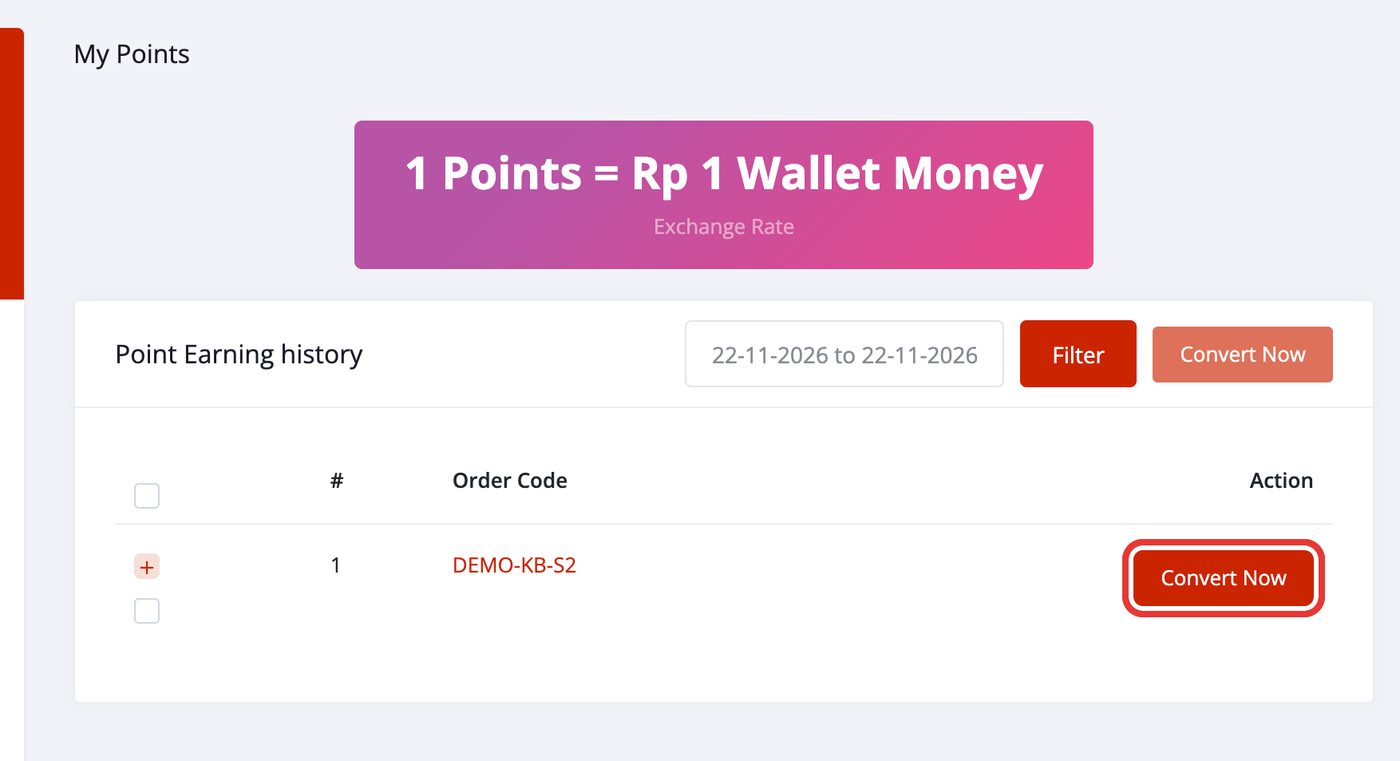
- Open Earning Points and check the Exchange Rate.
- Click Convert Now on a row, or tick several rows at once.
- The result goes to your wallet balance (the wallet limit applies).
2. Good to know
The Converted column shows whether points were converted. Points from an order cancelled after payment are taken back.
3. In the app
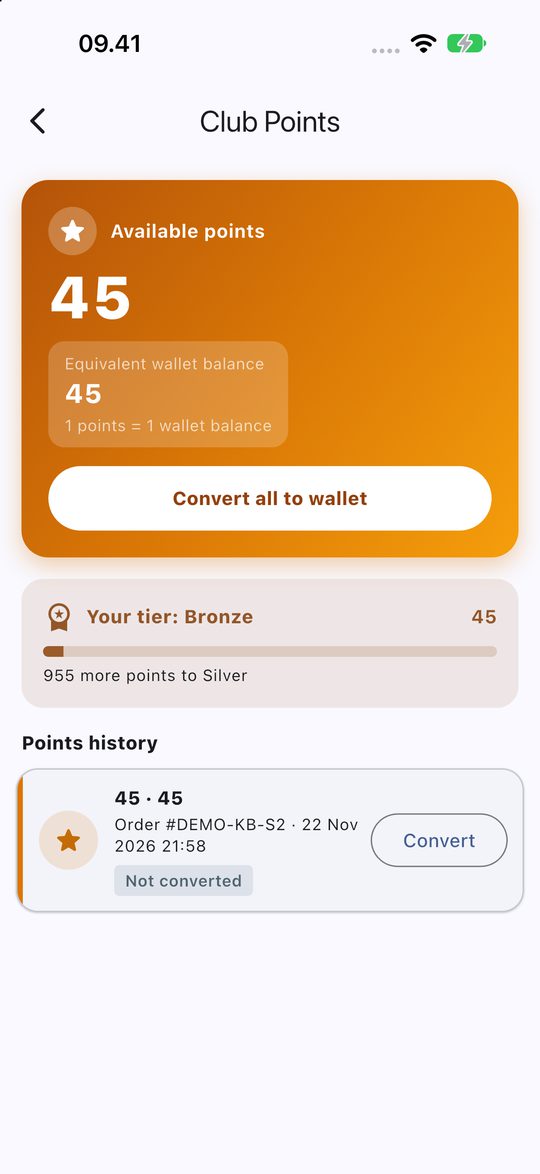
☰ › Club Points shows available points, the points history, a Convert button per row, and Convert all to wallet.